
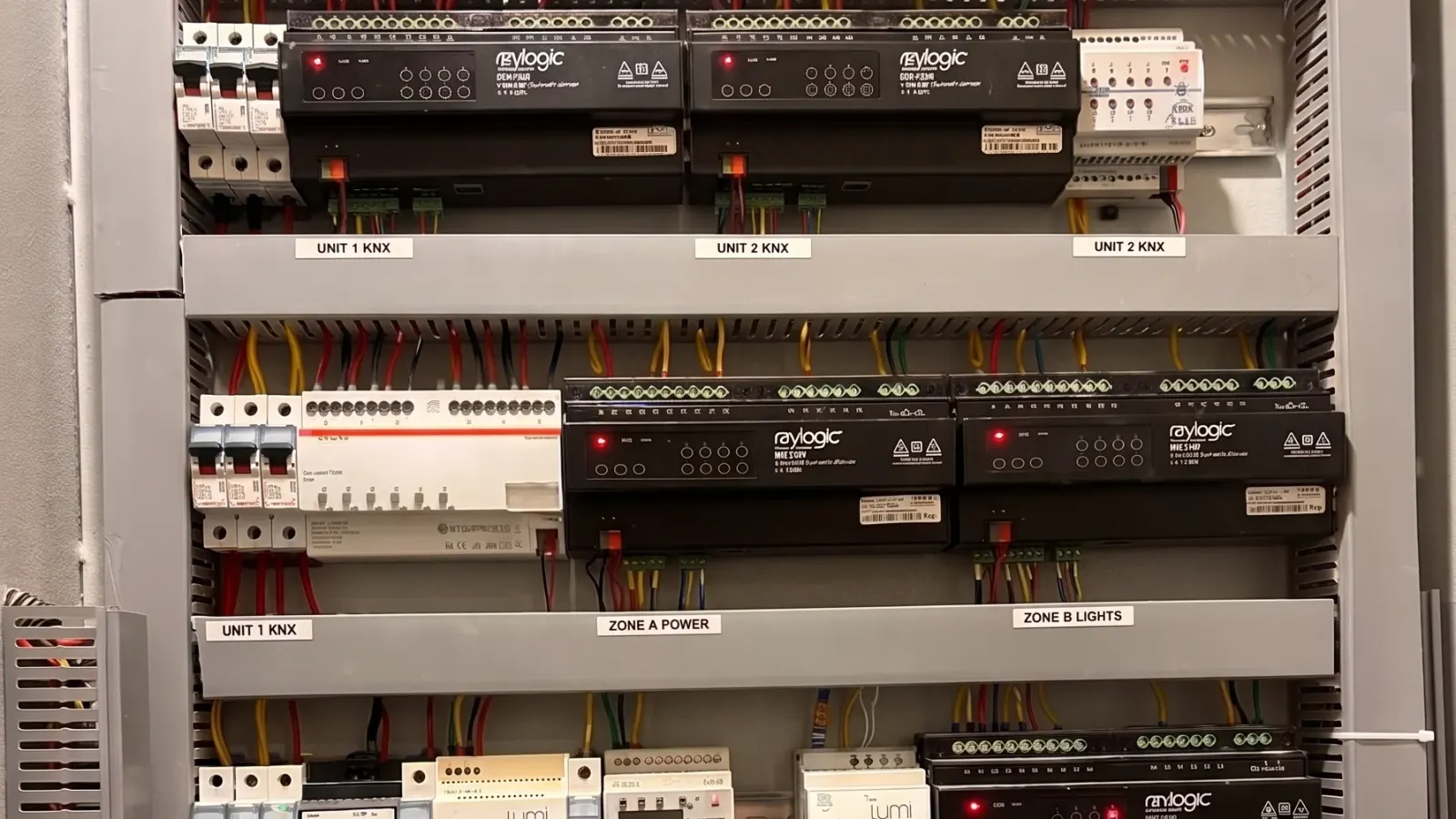
KNX wiring looks deceptively simple: one green cable looped from device to device. Behind it is an architecture that has kept buildings running for more than thirty years, with no central computer that can fail. If you are planning KNX home automation for a new build or renovation, understanding that architecture helps you ask the right questions and avoid expensive mistakes.
This guide explains how a KNX system is built, from the cable in the wall to the panel in the distribution board.
What KNX is, in one paragraph
KNX is an open international standard for home and building automation (ISO/IEC 14543-3). Hundreds of manufacturers, including ABB, Schneider Electric, Siemens, Gira and Jung, make certified KNX devices that all work together. For how it compares with Zigbee and Matter, see our guide to smart home protocols.
The five building blocks of a KNX system
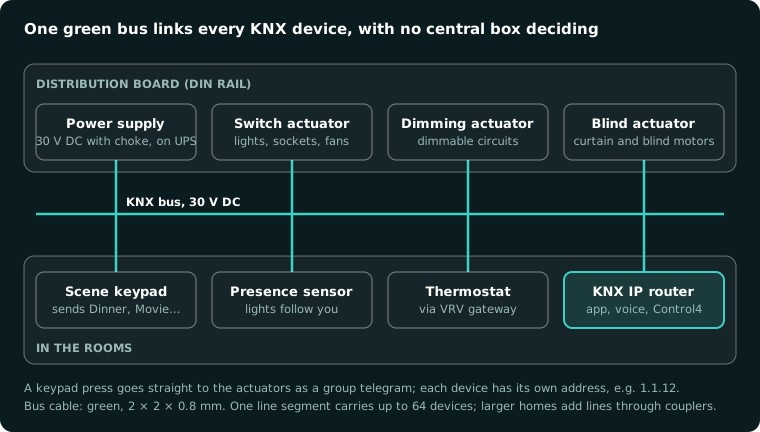
1. The KNX bus cable. A shielded cable with two twisted pairs, usually green, carrying 30 V DC safety extra-low voltage. One pair carries power and data to every device; the second pair is kept as a spare. Certified KNX cable is rated to run alongside mains wiring, though good installers still give it its own conduit wherever possible.
2. The KNX power supply. A dedicated 30 V DC supply with a built-in choke powers the whole bus. Put it on a UPS, and the system keeps working through power cuts and comes back exactly as it was after a DG changeover.
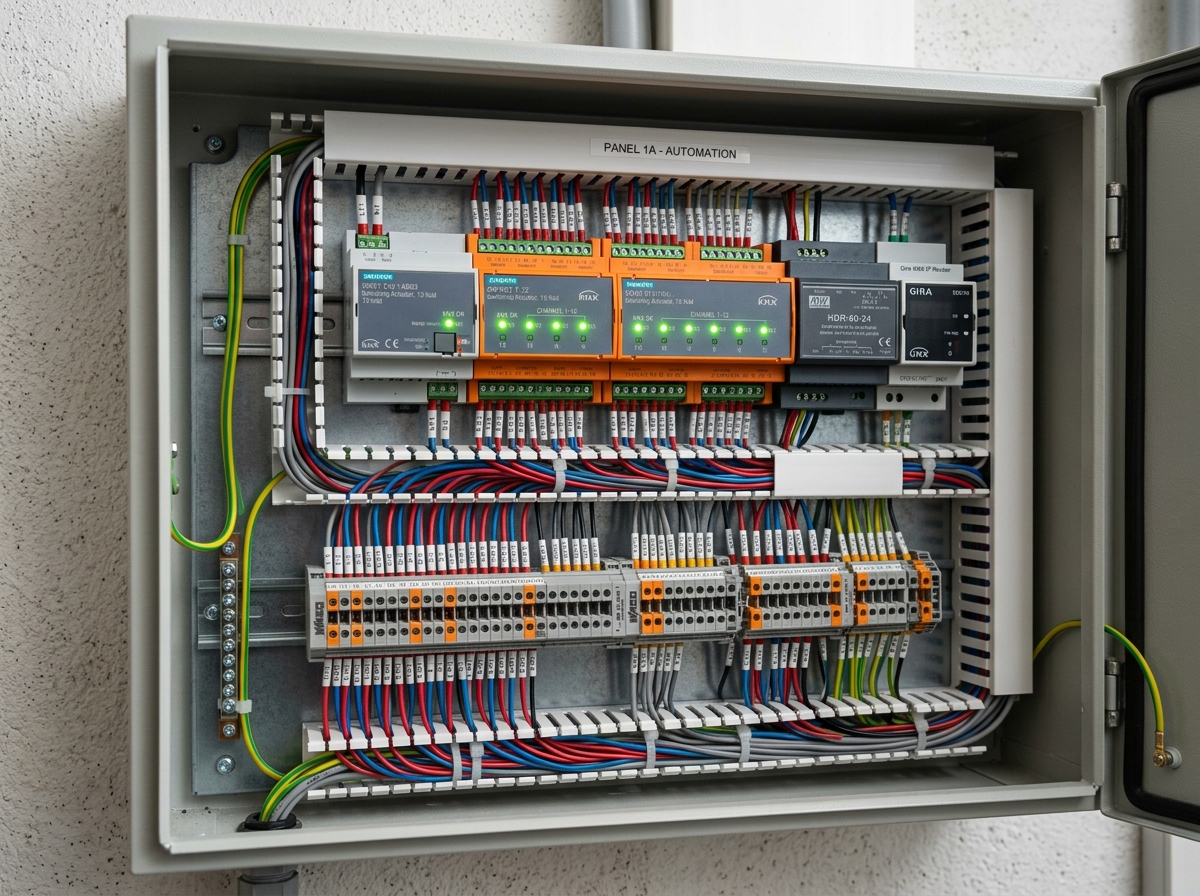
3. Actuators in the distribution board. These are the devices that actually switch and dim. They sit on a DIN rail in the electrical panel:
- Switching actuators turn lighting circuits, sockets and fans on and off.
- Dimming actuators dim lighting circuits smoothly.
- Blind and shutter actuators drive curtain and blind motors.
- HVAC gateways connect VRV and VRF air conditioning to the bus.
4. Sensors in the rooms. Keypads, presence detectors, thermostats and window contacts send commands onto the bus. Each one has its own processor.
5. System devices. A KNX IP router or interface connects the bus to your home network, so apps, voice assistants, and platforms such as Control4 can talk to it. Line couplers link separate lines in larger homes.
How a command travels
When you press Dinner on a living-room keypad, the keypad sends a short message, called a telegram, onto the bus addressed to a group (for example, "living room scene"). Every actuator programmed for that group reacts at once: the dimmer sets the chandelier to 40%, the blind actuator closes the sheers, the switching actuator turns on the table lamps. They report their new state back, so keypads and the app stay in sync.
No server decides anything. If one device fails, only that device stops; the rest of the house carries on.
KNX topology: lines and areas
KNX is organised like a postal system, and every device has a physical address such as 1.1.12 (area 1, line 1, device 12).
- A line segment carries up to 64 devices, with up to 1,000 m of cable.
- Line repeaters extend a line to as many as 256 devices.
- Line couplers join up to 15 lines into an area, and areas join through a backbone.
The cable can run in a line, a tree or a star, but never in a closed ring. Most apartments need a single line; a large villa usually has one line per floor, joined by couplers or KNX IP routers.
Planning KNX wiring for an Indian home
- Design the panel first. KNX actuators need DIN-rail space. Plan one automation panel per floor, with at least 30% spare space.
- Run separate circuits. Every group of lights you want to control separately needs its own circuit back to an actuator.
- Loop the bus to every position. Run bus cable to every keypad, thermostat and sensor position, even ones you have not decided on yet.
- Protect the power. UPS on the KNX power supply and the IP router; proper earthing for the panel.
- Document everything. Ask for the ETS project file, panel schedule and group address list at handover.
Common KNX wiring mistakes
- Panels too small for the actuators, with no room to expand.
- Lighting circuits combined, so lights that should dim separately cannot.
- Bus cable missing at a keypad or sensor position the interior designer adds later.
- No UPS on the KNX power supply.
- No ETS project file handed over, leaving the homeowner dependent on one installer.
Frequently asked questions
What cable is used for KNX wiring?
Certified KNX bus cable: two twisted pairs, shielded, usually with a green sheath, carrying 30 V DC.
How many devices can one KNX line have?
Up to 64 devices per line segment, extendable to 256 with line repeaters. Larger homes add more lines through couplers.
Does KNX need the internet or Wi-Fi?
No. KNX devices talk directly over the bus. The internet is only needed for remote access from your phone.
Can KNX be installed in an existing home?
Only where walls can be opened for the bus cable. For finished homes, a wireless system such as a Zigbee mesh network is usually the better choice.
Planning KNX home automation in Gurgaon or Delhi? CLEUB is a certified KNX partner that designs KNX panels, wiring and programming for luxury homes across Delhi NCR. Book a consultation and bring your electrical drawings.