
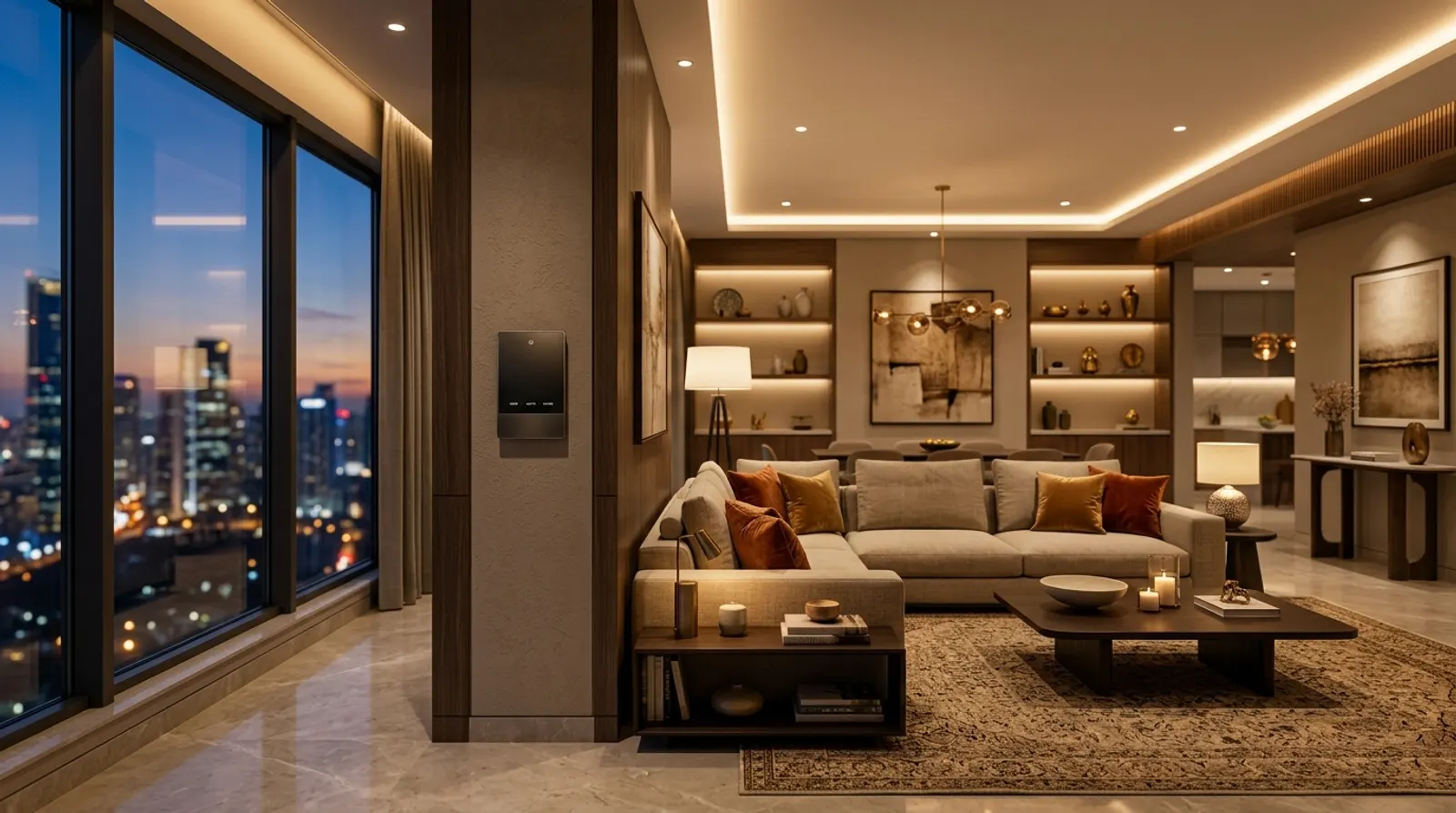
Lighting is the part of a smart home you use every day, dozens of times a day. It is also where the wrong choice is most visible: lights that flicker when dimmed, scenes that lag, or a wall full of switches that no one understands. The technology behind the switch matters more than the switch itself.
This guide explains the two main ways to control lighting in a luxury home in Delhi NCR — DALI-2 and Zigbee — and how to choose between them.
First, what "smart lighting" actually means
A smart lighting system does three things a normal switch cannot:
- Dims smoothly, from full brightness down to a soft glow, without flicker or buzzing.
- Groups lights into scenes, so one button sets the whole room: Dinner, Movie, Reading, Goodnight.
- Responds to the house, turning on with presence, following the time of day, or switching off everything when you leave.
How well it does these depends on the control protocol: the "language" the switch, the driver and the light use to talk to each other.
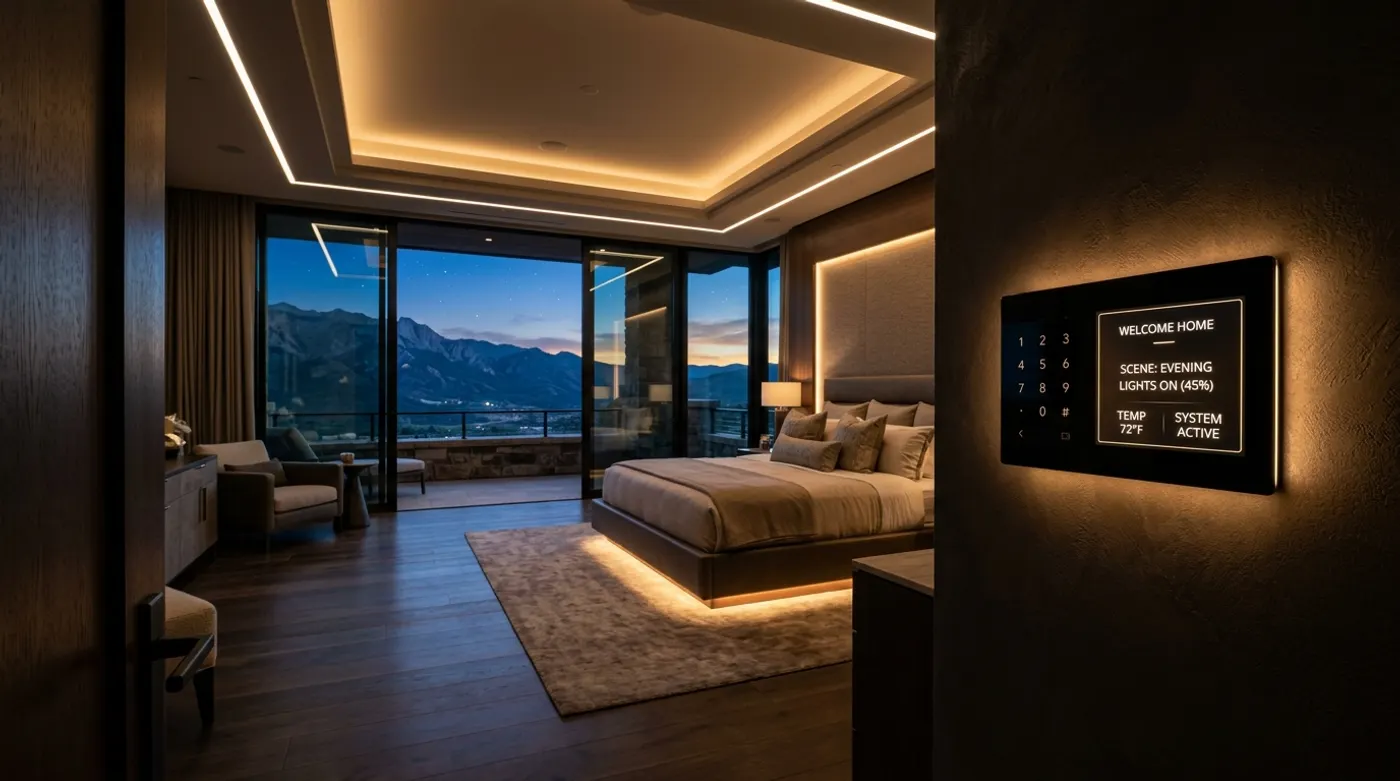
DALI-2: the lighting designer's choice
DALI (Digital Addressable Lighting Interface) is an open international standard, IEC 62386, made specifically for lighting. DALI-2 is the current, certified version that guarantees devices from different manufacturers work together.
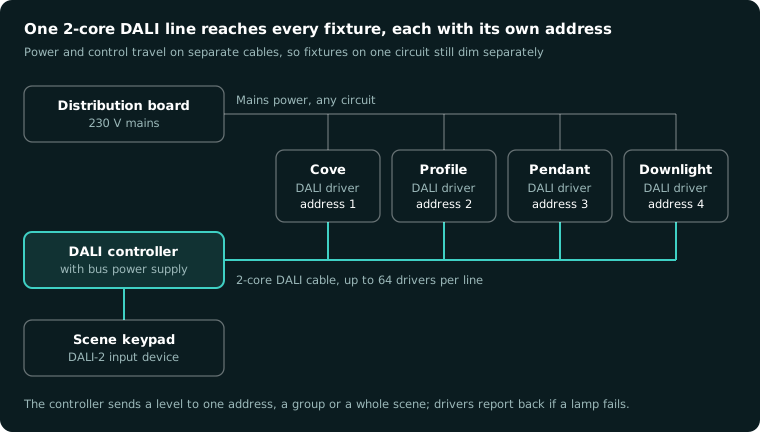
How it works. Every DALI driver inside a light fixture has its own address. A two-core DALI cable runs from a DALI controller to all the drivers on a line, up to 64 per line. The controller can then dim each fixture individually, even if they share one power circuit.
Why designers specify it:
- The smoothest dimming available, down to 0.1% on good drivers, with no flicker on camera or to the eye.
- Individual control of every profile light, cove strip and pendant, without running a separate power cable to each.
- Tunable white (DALI DT8), so the colour temperature can move from a cool 5,000 K in the morning to a warm 2,700 K in the evening.
- Feedback: the system knows if a driver has failed, which helps maintenance in large homes.
What to plan for. DALI needs the right drivers inside each fixture, and the DALI cable must be run during construction. Your lighting designer, electrician and automation integrator have to agree on the fixture schedule early. Mixing DALI drivers with cheap non-dimmable drivers in the same room is the most common mistake we see.
Best for: new builds and full renovations with designer lighting — villas, penthouses and large apartments where lighting is part of the interior design.
Zigbee smart lights: the retrofit champion
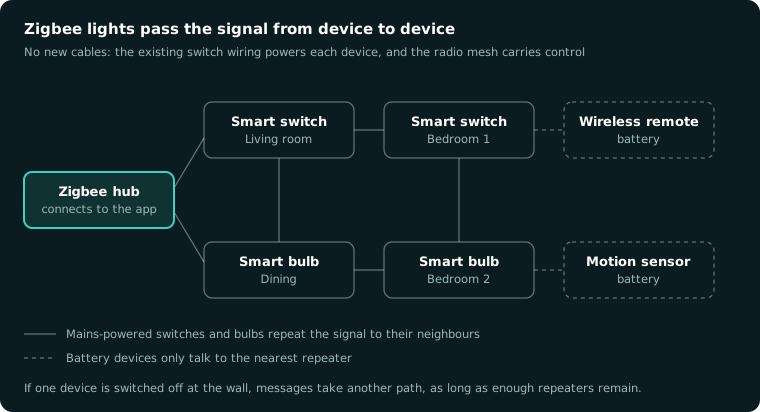
Zigbee 3.0 is a wireless mesh protocol. Each mains-powered Zigbee device repeats the signal to its neighbours, so the network grows stronger as you add devices. Philips Hue is the best-known Zigbee lighting system, and many smart switches and dimmer modules also use Zigbee.
How it works. There are two approaches:
- Smart bulbs and fixtures with a Zigbee radio built in. You replace the bulb, pair it with a hub, and control it from an app or a wireless switch.
- Smart switches and dimmer modules that replace your existing wall switches and control ordinary dimmable lights.
Why people choose it:
- No new wiring. It works with the cables already in the wall, which is ideal for finished apartments and rentals.
- Lower cost to start. You can automate one room and expand later.
- Colour and effects with RGB bulbs and strips, for terraces, bars and kids' rooms.
What to watch out for:
- Neutral wires. Many Indian switch boxes have no neutral. Some smart switches need one; check before you buy.
- Walls and distance. Thick concrete and stone walls common in NCR construction weaken wireless signals. A well-planned mesh with enough mains-powered repeaters is essential.
- Too many apps. Zigbee devices from different brands work best through one central hub, not five separate apps.
- Smart bulbs on smart switches. If someone turns off the wall switch, the smart bulb goes offline. Plan which one you are using in each room.
Best for: finished apartments, rentals, and adding smart lighting to a few rooms without opening walls.
Side by side
| DALI-2 | Zigbee 3.0 | |
|---|---|---|
| Wiring | Dedicated 2-core DALI cable to every driver | None — wireless mesh |
| Dimming quality | Excellent, down to 0.1% | Good, depends on the product |
| Individual fixture control | Yes, every driver has an address | Yes, with smart bulbs or fixtures |
| Tunable white | Yes (DALI DT8 drivers) | Yes, with tunable bulbs |
| Works without internet | Yes | Yes, through a local hub |
| Best stage to install | New build or full renovation | Any time, including finished homes |
| Starting cost | Higher: drivers and cabling planned in | Lower: one room at a time |
Which should you choose?
- Building new or renovating fully, with a lighting designer? DALI-2. Every fixture is addressed and dims perfectly.
- Finished apartment, no wall-chasing allowed? A well-planned Zigbee 3.0 system with one hub, or Matter-compatible lights as they become available.
- A mix? Very common. DALI-2 in the main living and dining spaces, Zigbee for rooms done later or for decorative lighting on the terrace.
Five mistakes to avoid
- Choosing fixtures first and the control system later. Drivers must match the protocol.
- Using non-dimmable LED drivers on dimmer circuits, which causes flicker and buzzing.
- Putting six switches on a wall instead of one scene keypad.
- Relying on Wi-Fi bulbs for a whole house. They overload home routers and depend on the cloud.
- Forgetting presence sensors in wardrobes, staircases and powder rooms.
Planning lighting for a home in Gurgaon, Delhi or Noida? CLEUB works with your architect and lighting designer to plan DALI or Zigbee lighting before construction starts. Book a consultation and bring your lighting layout.